ゲームをプレイ
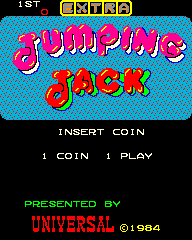
Powered by EmulatorJS · Arcade
ユニバーサルは、プレイヤーがプラットフォーム間をジャンプしてさまざまな環境をナビゲートするこのプラットフォーマーを開発しました。ボーナスアイテムを積極的に収集してスコアを増やしながら、障害物との衝突を避けるために動きのタイミングを計る必要があります。ゲームプレイは、危険にぶつからずに画面を横断するための正確なジャンプの仕組みに依存しています。
Player layout in our catalog: 2P alt.
If you are exploring by feel rather than by title, jump from the tags above into the matching genre rooms, or return to the Arcade hall for the full wall.
Open Play on this page to start Jumping Jack. Keyboard, USB/Bluetooth pads, and the on-screen touch gamepad all work inside the emulator bar. Save states and fullscreen live on that same bar so you can pause mid-session and resume later.
Jumping Jack is filed in our catalog as a 1984 release.
Player layout on this cabinet: 2P alt.
Genre tags on Classic Arcade Games: Platform.
Credit line lists Universal as developer.
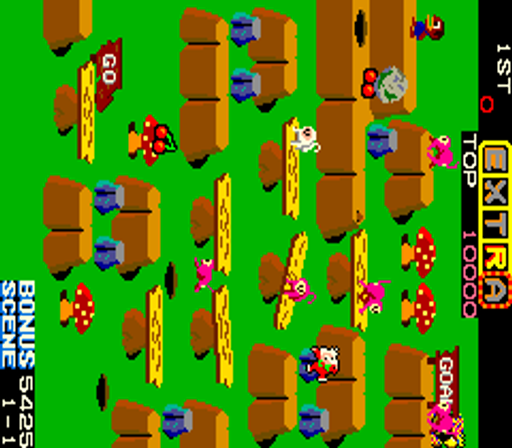
Nearby cabinets you may also open from this hall (each on its own play page):Space Panic (version E), Snap Jack, Do! Run Run (set 1), Indoor Soccer (set 1), Kick Rider, Space Raider, Cosmic Avenger, Cheeky Mouse, Cosmic Guerilla, Devil Zone, Lady Bug, Magical Spot
Space Panic (version E) · Snap Jack · Alex Kidd: The Lost Stars (set 2, unprotected) · Arabian · Athena · Bagman · Baluba-louk no Densetsu (Japan) · Burger Time (Bandai) · Ben Bero Beh (Japan) · Bogey Manor · Boggy '84 · Bomb Jack (set 1)
Space Panic (version E) · Snap Jack · Do! Run Run (set 1) · Indoor Soccer (set 1) · Kick Rider · Space Raider · Cosmic Avenger · Cheeky Mouse · Cosmic Guerilla · Devil Zone · Lady Bug · Magical Spot
Universal appears on this cabinet’s credit line. Browse more titles from the same studio on the developer shelf, or stay on this page and try the next cabinets in the same hall.
Space Panic (version E) · Snap Jack · Do! Run Run (set 1) · Indoor Soccer (set 1) · Kick Rider · Space Raider · Cosmic Avenger · Cheeky Mouse
Yes. Classic Arcade Games hosts Jumping Jack as a Arcade cabinet you can start on this page. The emulator loads in the browser; you do not need to install a separate app.
Arcade stick feel: Arrow keys for the joystick, X/Z (and nearby keys) for buttons, Enter=Start. USB / Bluetooth pads map cleanly; six-button fighters use the face-button cluster.
Our catalog tags Jumping Jack under Platform. Open those genre rooms from the tags on this page to find more playable cabinets in the same feel.
下の iframe コードをコピーして、このゲームをサイトに埋め込めます。
<iframe src="https://ja.classicarcade.games/games/arcade/jjack?embed=1" width="800" height="600" allowfullscreen allow="gamepad; autoplay; fullscreen"></iframe>