ゲームをプレイ
Powered by EmulatorJS · Arcade
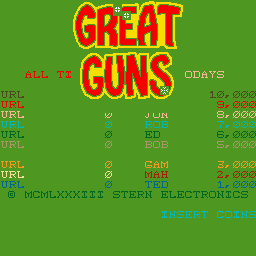
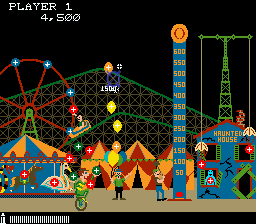
明確に定義されたターゲット ラックで射撃することで、プレーヤーは 9 つの異なるシーンを進むことができます。この光線銃シューティング ゲームは、さまざまな景色の良い環境でターゲットを当てることを競う 1 人または 2 人のプレイヤーをサポートします。ラックの複雑さと難易度は、プレイヤーの射撃の精度とスキルに基づいて変化します。
Player layout in our catalog: 2P sim.
If you are exploring by feel rather than by title, jump from the tags above into the matching genre rooms, or return to the Arcade hall for the full wall.
Open Play on this page to start Great Guns. Keyboard, USB/Bluetooth pads, and the on-screen touch gamepad all work inside the emulator bar. Save states and fullscreen live on that same bar so you can pause mid-session and resume later.
Great Guns is filed in our catalog as a 1983 release.
Player layout on this cabinet: 2P sim.
Genre tags on Classic Arcade Games: Shooter.
Credit line lists Stern Electronics as developer.
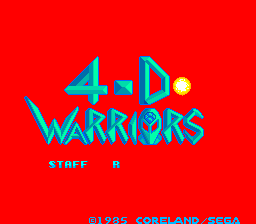
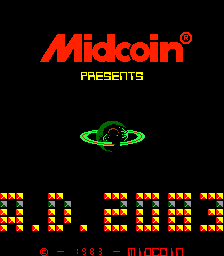
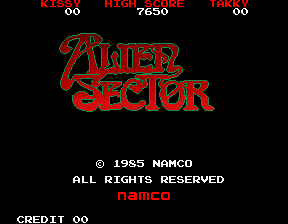
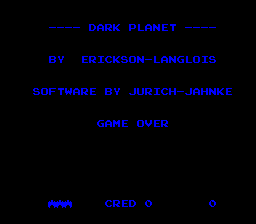
Nearby cabinets you may also open from this hall (each on its own play page):Dark Planet, Minefield, Moonwar, Rescue, Armored Car (set 1), Frenzy (revision RA1), Lost Tomb (easy), Berzerk (revision RC31A), The Three Stooges In Brides Is Brides (set 1), 4-D Warriors (315-5162), A. D. 2083, Alien Sector
Dark Planet · Minefield · Moonwar · Rescue · The Three Stooges In Brides Is Brides (set 1) · 4-D Warriors (315-5162) · A. D. 2083 · Alien Sector · Altair · Ambush · ASO - Armored Scrum Object · Astro Blaster (version 3)
Dark Planet · Minefield · Moonwar · Rescue · Armored Car (set 1) · Frenzy (revision RA1) · Lost Tomb (easy) · Berzerk (revision RC31A)
Stern Electronics appears on this cabinet’s credit line. Browse more titles from the same studio on the developer shelf, or stay on this page and try the next cabinets in the same hall.
Dark Planet · Minefield · Moonwar · Rescue · Armored Car (set 1) · Frenzy (revision RA1) · Lost Tomb (easy) · Berzerk (revision RC31A)
Yes. Classic Arcade Games hosts Great Guns as a Arcade cabinet you can start on this page. The emulator loads in the browser; you do not need to install a separate app.
Arcade stick feel: Arrow keys for the joystick, X/Z (and nearby keys) for buttons, Enter=Start. USB / Bluetooth pads map cleanly; six-button fighters use the face-button cluster.
Our catalog tags Great Guns under Shooter. Open those genre rooms from the tags on this page to find more playable cabinets in the same feel.
下の iframe コードをコピーして、このゲームをサイトに埋め込めます。
<iframe src="https://ja.classicarcade.games/games/arcade/greatgun?embed=1" width="800" height="600" allowfullscreen allow="gamepad; autoplay; fullscreen"></iframe>