ゲームをプレイ
Powered by EmulatorJS · Arcade
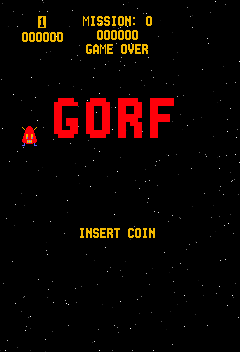
1981 年にリリースされた『Gorf』では、さまざまな射撃スタイルを循環する 5 つの異なるミッションが提供されます。プレイヤーは、侵略者と対峙するアストロ バトルから始まる単一画面の戦闘をナビゲートし、敵の船がホバリング編隊から離脱してプレイヤーに向かって急降下するステージに進みます。ゲームプレイでは、超空間フィールドから出現する敵を破壊しながら、放物線状の力フィールドを管理する必要があります。
Player layout in our catalog: 2P alt.
If you are exploring by feel rather than by title, jump from the tags above into the matching genre rooms, or return to the Arcade hall for the full wall.
Open Play on this page to start Gorf. Keyboard, USB/Bluetooth pads, and the on-screen touch gamepad all work inside the emulator bar. Save states and fullscreen live on that same bar so you can pause mid-session and resume later.
Gorf is filed in our catalog as a 1981 release.
Player layout on this cabinet: 2P alt.
Genre tags on Classic Arcade Games: Shooter.
Credit line lists Dave Nutting Associates / Midway as developer.

Nearby cabinets you may also open from this hall (each on its own play page):Boot Hill, Desert Gun, Extra Bases, Checkmate, A. D. 2083, Altair, Ambush, Asteroids Deluxe (rev 3), Asteroids (rev 4), Astro Blaster (version 3), Astro Fighter (set 1), Battle of Atlantis (set 1)
Boot Hill · Desert Gun · A. D. 2083 · Altair · Ambush · Asteroids Deluxe (rev 3) · Asteroids (rev 4) · Astro Blaster (version 3) · Astro Fighter (set 1) · Battle of Atlantis (set 1) · Attack UFO · Aztarac
Dave Nutting Associates / Midway appears on this cabinet’s credit line. Browse more titles from the same studio on the developer shelf, or stay on this page and try the next cabinets in the same hall.
Yes. Classic Arcade Games hosts Gorf as a Arcade cabinet you can start on this page. The emulator loads in the browser; you do not need to install a separate app.
Arcade stick feel: Arrow keys for the joystick, X/Z (and nearby keys) for buttons, Enter=Start. USB / Bluetooth pads map cleanly; six-button fighters use the face-button cluster.
Our catalog tags Gorf under Shooter. Open those genre rooms from the tags on this page to find more playable cabinets in the same feel.
下の iframe コードをコピーして、このゲームをサイトに埋め込めます。
<iframe src="https://ja.classicarcade.games/games/arcade/gorf?embed=1" width="800" height="600" allowfullscreen allow="gamepad; autoplay; fullscreen"></iframe>