ゲームをプレイ
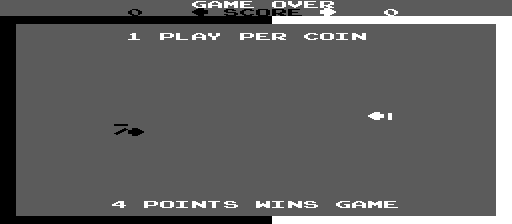
Powered by EmulatorJS · Arcade
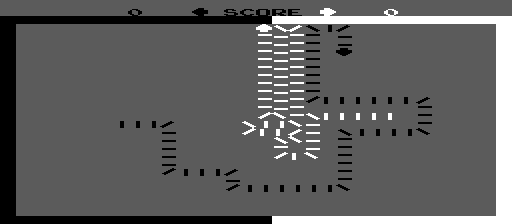
この Atari 迷路ゲームでは、ドミノを配置して道を作ると、敵を衝突させます。プレイヤーはボタンを押して方向を変え、時間の経過とともに速度が加速する空間を移動します。成功は、成長するタイルのネットワーク内で競合他社を罠にはめるための戦略的な配置にかかっています。
Player layout in our catalog: 2P sim.
If you are exploring by feel rather than by title, jump from the tags above into the matching genre rooms, or return to the Arcade hall for the full wall.
Open Play on this page to start Dominos. Keyboard, USB/Bluetooth pads, and the on-screen touch gamepad all work inside the emulator bar. Save states and fullscreen live on that same bar so you can pause mid-session and resume later.
Dominos is filed in our catalog as a 1977 release.
Player layout on this cabinet: 2P sim.
Genre tags on Classic Arcade Games: Maze.
Credit line lists Atari as developer.
Nearby cabinets you may also open from this hall (each on its own play page):Crystal Castles (version 4), Atari Baseball (set 1), Asteroids (rev 4), Atari Football (revision 2), Avalanche, Canyon Bomber, Cops'n Robbers, Flyball (rev 2), Lunar Lander (rev 2), Monte Carlo, Night Driver, Orbit
Crystal Castles (version 4) · Barricade · Bigfoot Bonkers · Blasto · Blockade · Checkmate · CoMOTION · Crash · Dodgem · Head On (2 players) · Head On 2 · Hustle
Atari appears on this cabinet’s credit line. Browse more titles from the same studio on the developer shelf, or stay on this page and try the next cabinets in the same hall.
Crystal Castles (version 4) · Atari Baseball (set 1) · Asteroids (rev 4) · Atari Football (revision 2) · Avalanche · Canyon Bomber · Cops'n Robbers · Flyball (rev 2)
Yes. Classic Arcade Games hosts Dominos as a Arcade cabinet you can start on this page. The emulator loads in the browser; you do not need to install a separate app.
Arcade stick feel: Arrow keys for the joystick, X/Z (and nearby keys) for buttons, Enter=Start. USB / Bluetooth pads map cleanly; six-button fighters use the face-button cluster.
Our catalog tags Dominos under Maze. Open those genre rooms from the tags on this page to find more playable cabinets in the same feel.
下の iframe コードをコピーして、このゲームをサイトに埋め込めます。
<iframe src="https://ja.classicarcade.games/games/arcade/dominos?embed=1" width="800" height="600" allowfullscreen allow="gamepad; autoplay; fullscreen"></iframe>