ゲームをプレイ
Powered by EmulatorJS · Arcade
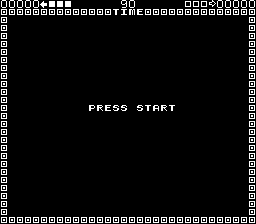
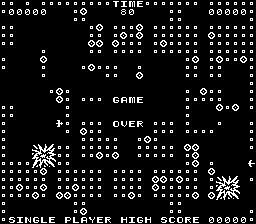
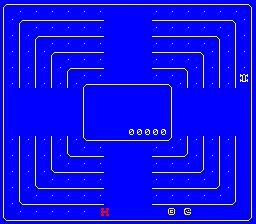
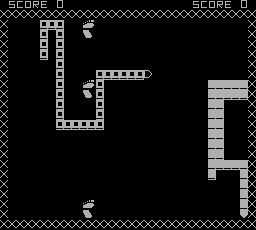
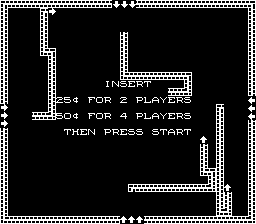
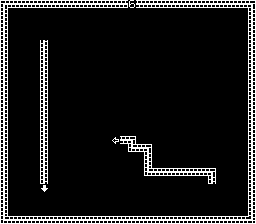
目に見えないグリッドがすべての動きを決定し、プレイヤーが迷路を進む際に 90 度のターンに制限されます。移動すると、キャラクターの後ろに致命的な障害物として機能する実線が残ります。成功するには、敵が自分の足跡や壁に衝突する前に、人間の敵の足跡や壁との衝突を回避し、人間の敵よりも長く生き残ることが必要です。
Player layout in our catalog: 2P sim.
If you are exploring by feel rather than by title, jump from the tags above into the matching genre rooms, or return to the Arcade hall for the full wall.
Open Play on this page to start Blockade. Keyboard, USB/Bluetooth pads, and the on-screen touch gamepad all work inside the emulator bar. Save states and fullscreen live on that same bar so you can pause mid-session and resume later.
Blockade is filed in our catalog as a 1976 release.
Player layout on this cabinet: 2P sim.
Genre tags on Classic Arcade Games: Maze.
Credit line lists Gremlin as developer.
Nearby cabinets you may also open from this hall (each on its own play page):CoMOTION, Hustle, Blasto, Head On (2 players), Safari (Bambino), Depthcharge, Frogs, Eliminator (2 Players, set 1), Barricade, Bigfoot Bonkers, Checkmate, Dominos
CoMOTION · Hustle · Blasto · Head On (2 players) · Barricade · Bigfoot Bonkers · Checkmate · Dominos · Lazer Command · Amazing Maze · Minesweeper · Tank 8 (set 1)
CoMOTION · Hustle · Blasto · Head On (2 players) · Safari (Bambino) · Depthcharge · Frogs · Eliminator (2 Players, set 1)
Gremlin appears on this cabinet’s credit line. Browse more titles from the same studio on the developer shelf, or stay on this page and try the next cabinets in the same hall.
CoMOTION · Hustle · Blasto · Head On (2 players) · Safari (Bambino) · Depthcharge · Frogs · Eliminator (2 Players, set 1)
Yes. Classic Arcade Games hosts Blockade as a Arcade cabinet you can start on this page. The emulator loads in the browser; you do not need to install a separate app.
Arcade stick feel: Arrow keys for the joystick, X/Z (and nearby keys) for buttons, Enter=Start. USB / Bluetooth pads map cleanly; six-button fighters use the face-button cluster.
Yes — related series cabinets on this site include CoMOTION, Hustle. Each has its own play page with the same browser emulator path.
下の iframe コードをコピーして、このゲームをサイトに埋め込めます。
<iframe src="https://ja.classicarcade.games/games/arcade/blockade?embed=1" width="800" height="600" allowfullscreen allow="gamepad; autoplay; fullscreen"></iframe>